

When you have information, you want to put it to use. But not all the information you have stored in variables is useful for executing certain instructions.
Let ’s take a look at the latest Legend of Zelda game to understand this more. Below is a screen for upgrading a piece of armor for Link, the game ’s playable character. Upgrading the armor requires two items, a blue Bokoblin Horn and a Bokoblin Fang. If you have these items, the game ’s computer will allow you to upgrade the armor, otherwise it will not let you. Computers often use this if -then- else logic to make many decisions on what instructions they will follow in a program.

These parts of a program that decide whether to follow a set of instructions or not, like upgrading armor, are called conditions .

To start writing conditions and help your computer make decisions when running a program, we need to know how to compare pieces of information.
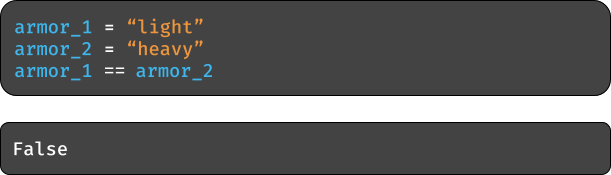
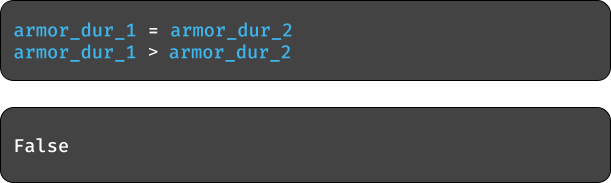
Let ’s compare two armor types against each other to see if they are the same.
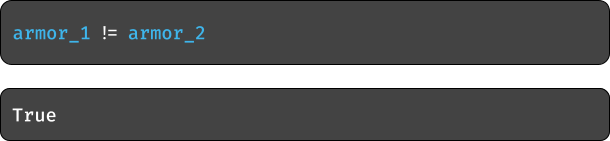
What about not being equal?
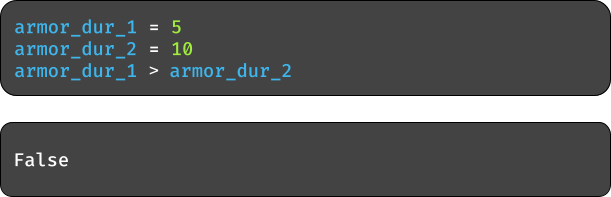
We can also compare how durable each armor type is.
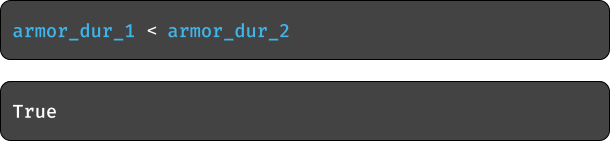
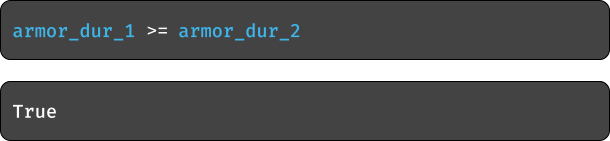
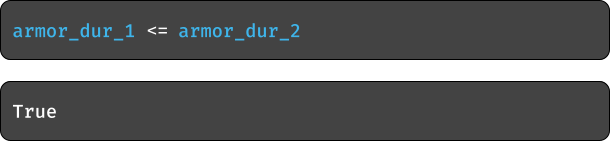
You can also put an equal sign after the less than symbol or greater than symbol to test if one variable is equal to or less than another variable, or if it is equal to or greater than another variable.
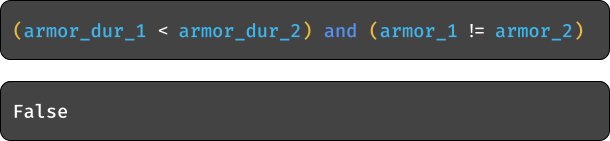
The and keyword allows for seeing if two different comparisons are true.
The or keyword allows for seeing if one or more comparisons are true
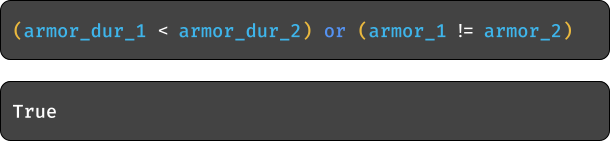
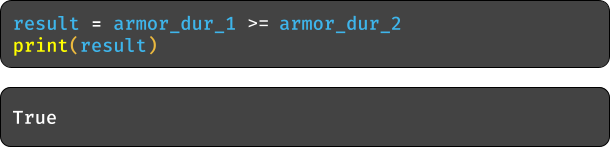
One last thing is that we can store these ‘True ’and ‘False ’values, also known as Boolean values.

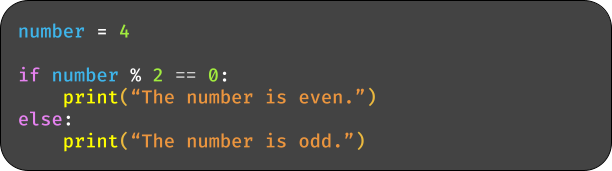
The modulo symbol, %, is used to get the remainder of a division problem.
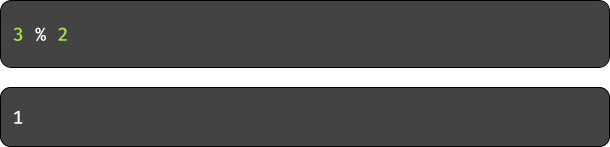
This can be useful in checking if a number is even or odd. Using the number 2 as the divisor again, write a comparison that checks if a number is even .

We will now use these comparisons to make decisions on what instructions the computer will follow.
Let ’s go back to the armor upgrade example. If the player has a blue Bokoblin Horn and a Bokoblin Fang, then they can upgrade their armor, otherwise they cannot. How can we write this in a program? We use a couple of keywords, if and else .
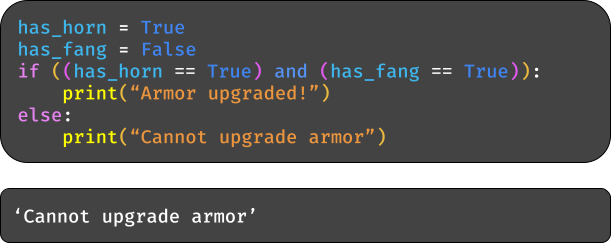
The example can be shortened too.
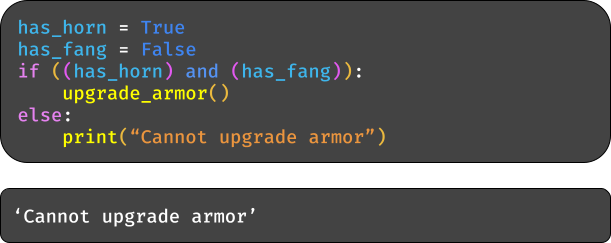
More cases for the computer to evaluate can be added using the elif keyword.
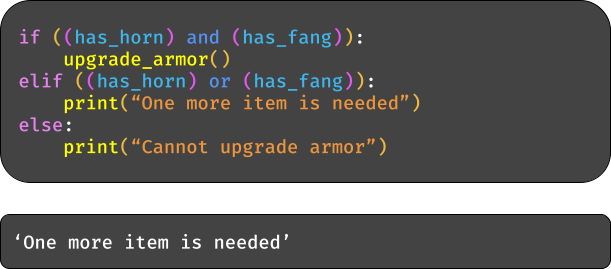
An if statement can also be evaluated by itself, without an accompanying else statement to tell the computer what to do otherwise.


- In Among Us, players will every now and again vote to kick other players off of a ship everyone is repairing.
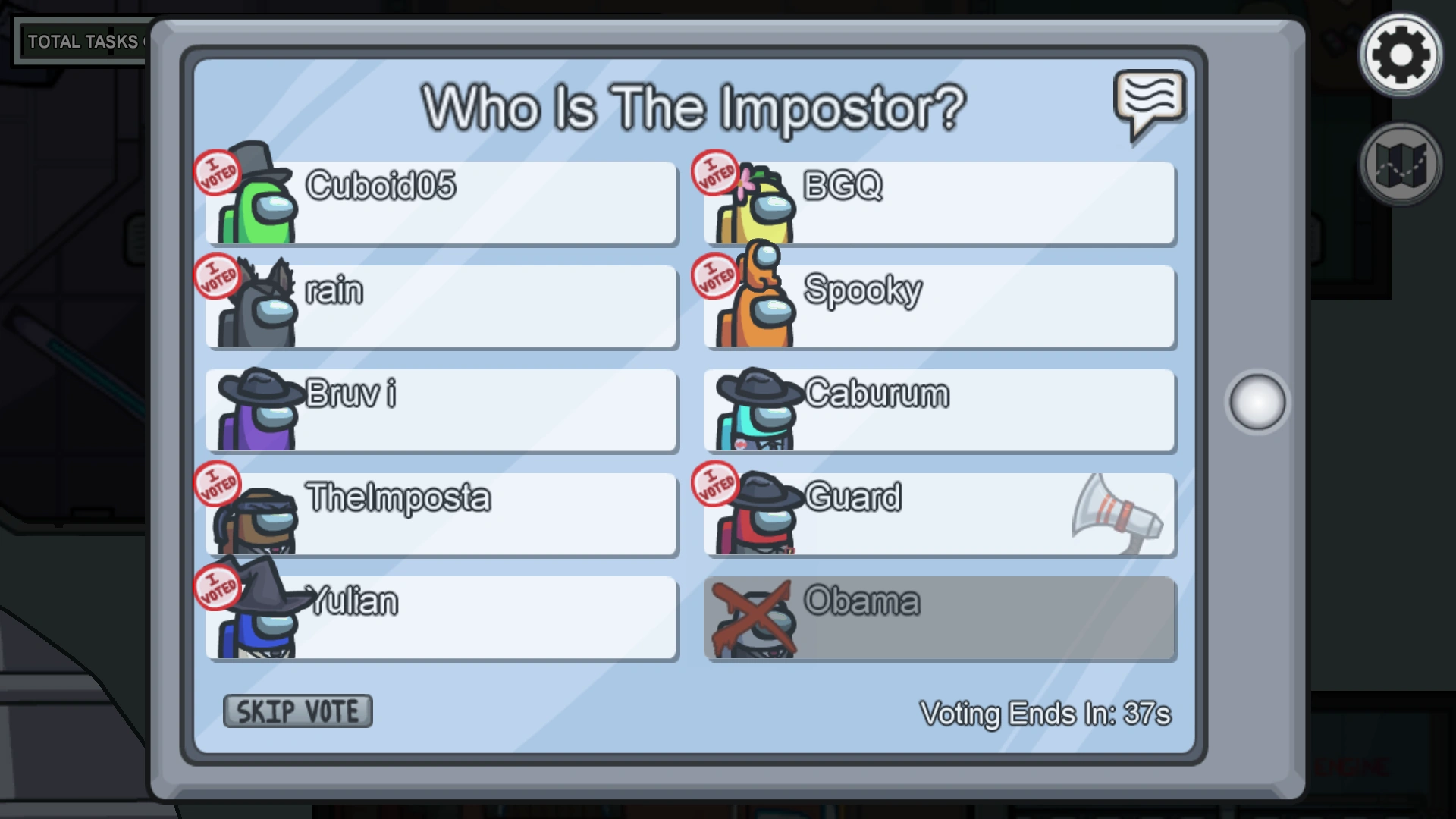
Whoever has the most votes is kicked off. Imagine you are playing the
game and can see who has voted for you. Have the computer ask you
how many votes you received from other players. Afterward, use
if …else statements to print whether or not you have been voted off the ship.
- The newest Spiderman game allows players to use some special moves in combat, but only after it satisfies some conditions for each.

Let ’s say the conditions are the number of hits you deal to enemies and
the number of seconds that has passed since last using a special move.
This information will be stored as is below:

Use the following table and appropriate if statements to print out which
special moves can currently be used.
|
Special Move |
Number of Hits |
Seconds Past |
|
Venom Dash |
10 |
1 |
|
Chain Lightning |
3 |
4 |
|
Thunder Burst |
5 |
2 |

- Check if a number is positive

- Check if a string contains a specific letter

- Check if a number is even or odd
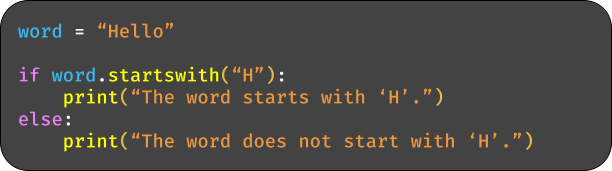
- Check if a string starts with a specific letter
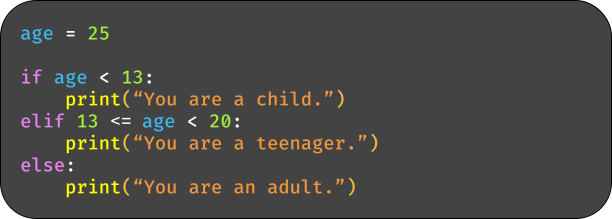
- Determine the category of age
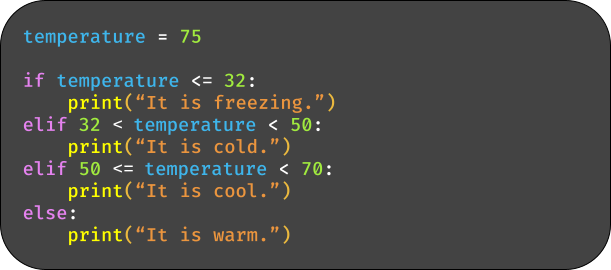
- Check the temperature range
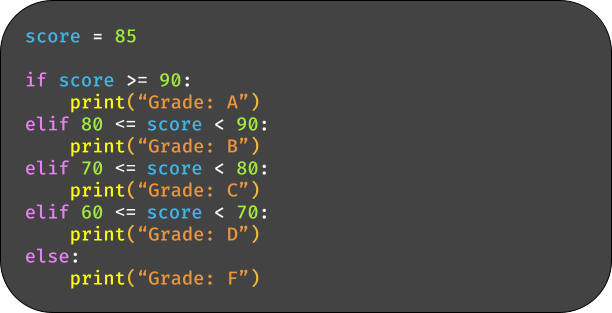
- Grade evaluation based on the score
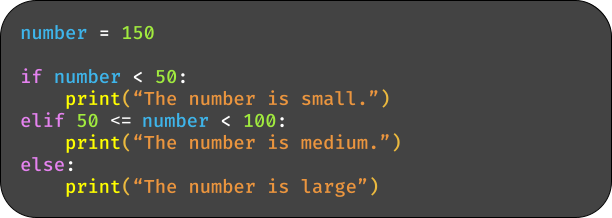
- Determine the size of the number
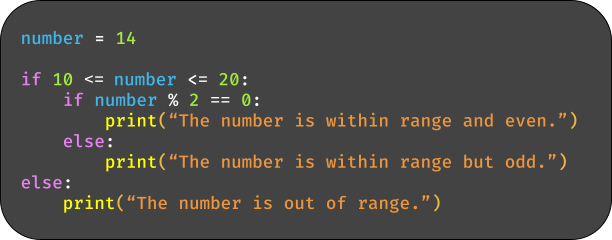
- Check if a number is even and within a range
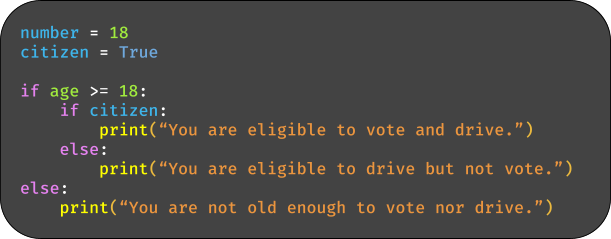
- Check if a person can vote and drive
- Check if a number is within a range using ‘and’

- Check if a number is outside a range using ‘or’
