

There are some instructions that a computer may need to execute more than once. It may also be the case that a certain condition has not been met to follow a set of instructions, so the computer needs to wait some time before that condition is met. In Minecraft, the player can continuously hit a block until it has been destroyed.
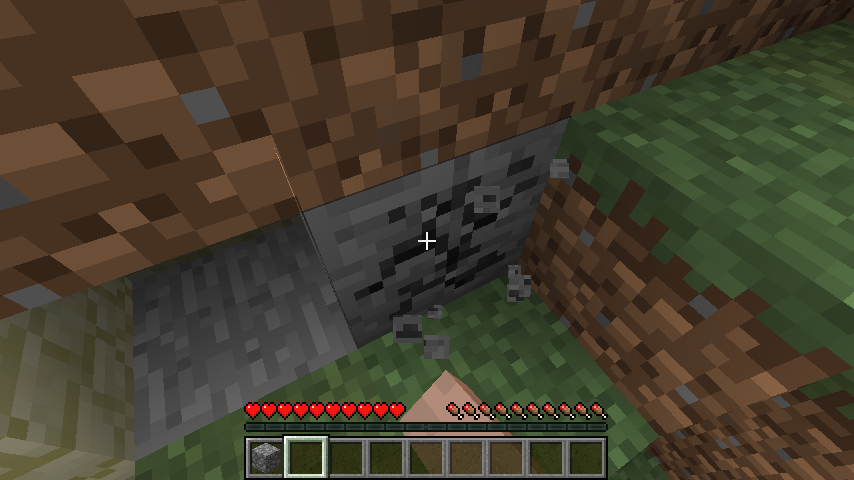
Hitting a block is one set of instructions, and if you want to continue hitting it, you just have the computer follow those instructions over and over again. This concept of executing a set of instructions for some time or until some condition has been met is called looping. In our case here, the hitting instructions would continue until the player stops pressing the button to hit a block or until the block is destroyed.
Let ’s now talk about the two kinds of loops. They both loop a set of instructions, but the format of how you write it is different, and each is more practical in different situations.

If you do not know how many times or for how long you want a set of instructions to be executed, you can use a while loop.
In the Minecraft example, we do not know how long the player will keep hitting the block nor how many times they will hit it. To know when to stop executing the hitting instructions, we can use the while loop to help know when to stop.

Assume here is_pressed and not_destroyed are Boolean variables indicating whether the hitting button is being pressed and if the block is destroyed. The information in the variables is also being changed elsewhere in the program.
What if to know whether to keep following the instructions the computer needed to ask the user if they are still hitting the block? If they say no, then we end the loop.

We know that the block can only take a certain number of hits before it is destroyed, say 6 hits when hitting with a pickaxe. We can write a loop that will tell us we have hit the block until 6 hits have been reached. At the end of the loop we will increment the value of the variable by 1.
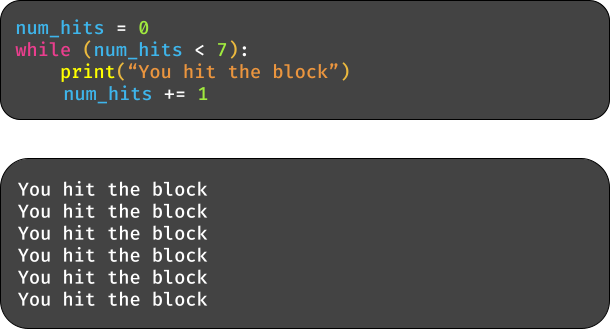
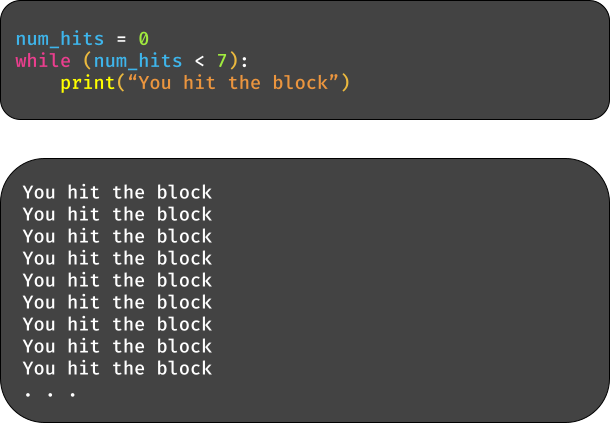
If your condition involves a variable and is never updated, then you will get an infinite loop.
However, as said before, a while loop is more appropriate for not knowing the time the loop should end. The next loop type to discuss would be better suited for this.

Sometimes you want the computer to wait before it can follow some instructions of a program. You typically see this in more advanced programs that cannot be discussed here but is still an important concept to be exposed too. To make the computer wait, we can a new set of methods that will allow us to play with time.
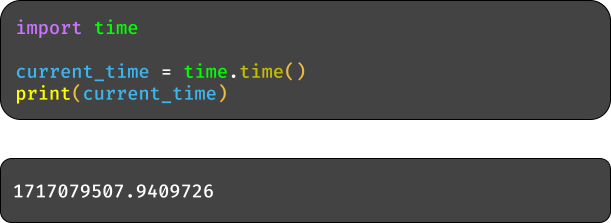
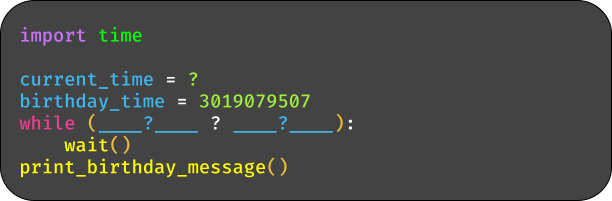
The first line of code is importing what is called a module. Modules provide new tools or methods to use in writing programs . The “ time ”module gives us many tools for using time, like the “time ”method. This gives the number of seconds that have passed since some fixed point in time, which is January 1, 1970, 00:00:00 (UTC). You use it by typing the name of the module first, then the name of the function you want.
Let ’s now apply this method to make the computer wait. Say we want the computer to display a happy birthday message to the user.

Obviously, this should only be displayed on their birthday. In the instructions of this program, then, there should be a loop that makes the computer wait until it is that time.
Fill in the code to complete the loop for making the computer wait.

Let ’s return to the previous example but apply a for loop instead.
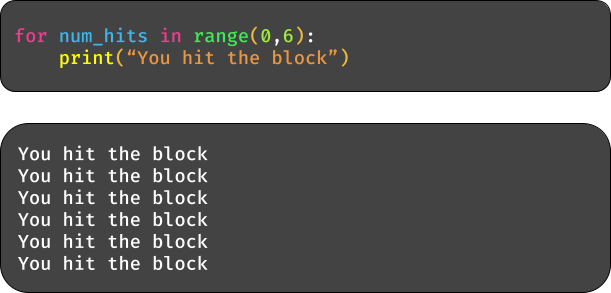
You can see the output is the same, it ’s just the format of the loop that differs. Instead of typing the variable that will track the number of hits on its own line, you include it in the line stating the loop. You also do not have to indicate where in the loop the variable needs to be updated, as it is done for you. The ‘ range ’function will store the initial value of the num_hits variable, indicated by 0 , and set the value for when to stop, when it reaches 6 .

Digging a bit deeper, the blocks you hit in Minecraft make up an entire game world.
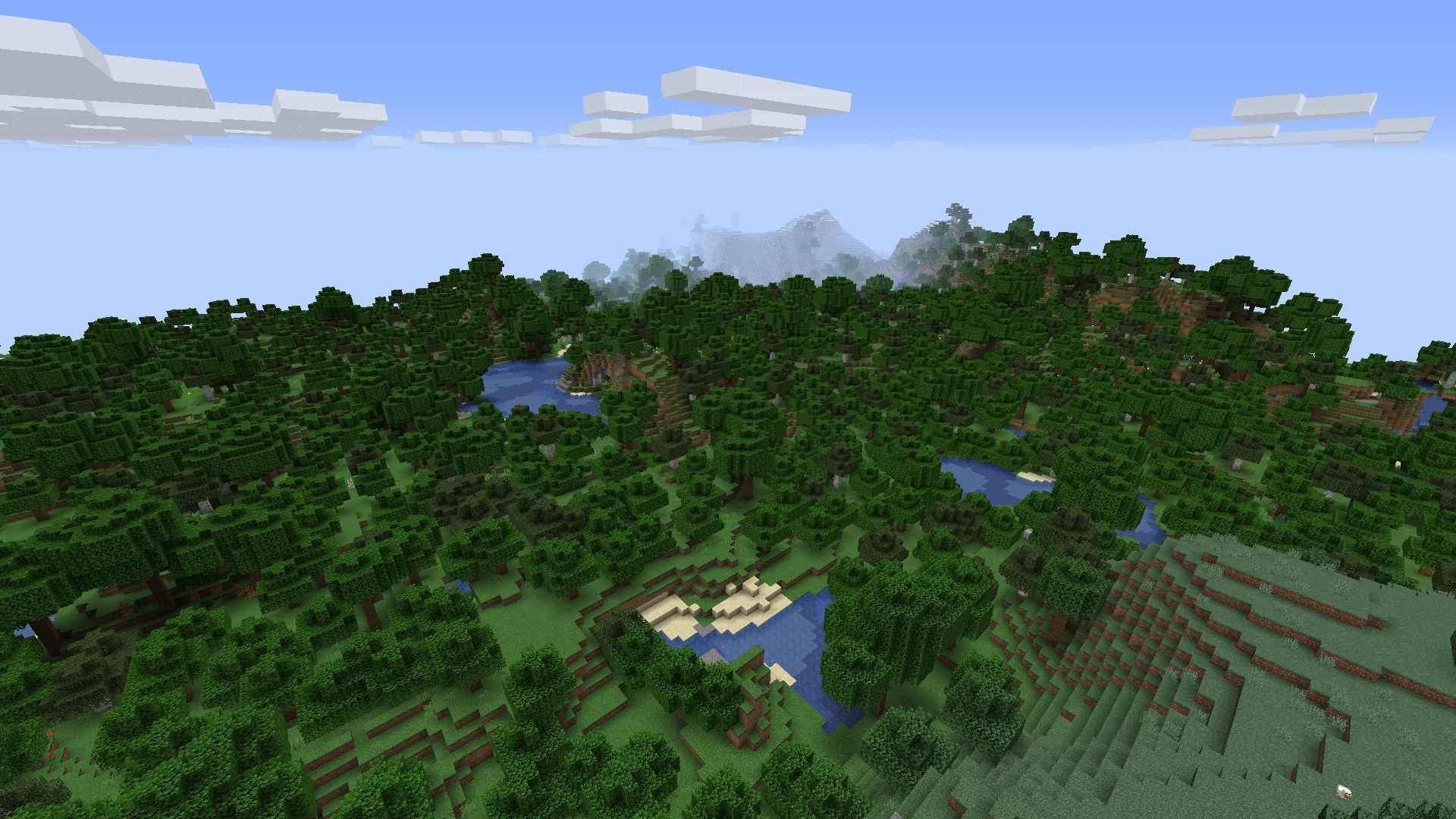
For the computer to generate all of these blocks, it first looks at a region of the currently empty game world and places a block. It places another and another, looping these instructions until the region is filled with blocks. It then moves to another region and fills it with blocks. It does this over and over again, also like a loop.
This act of following a set of instructions over and over again, wherein some of those instructions in the set are a loop of instructions themselves, is called a nested loop .
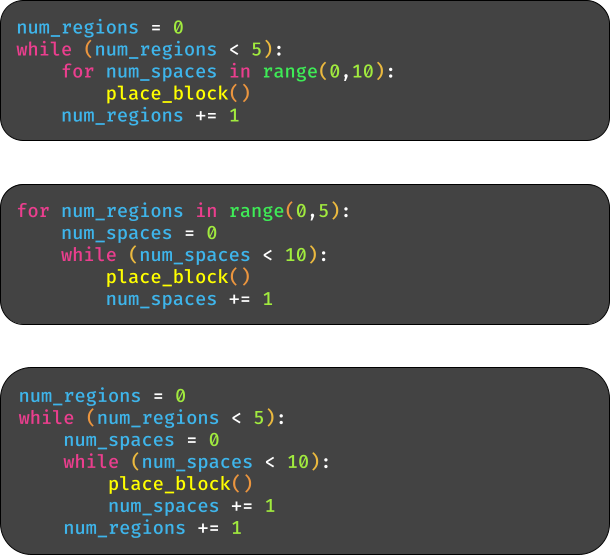
An example of how these loops look, using the example just discussed:
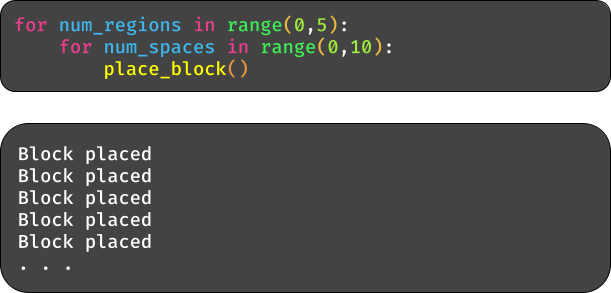
You can see there are two for loops, one nested in the other. How this works is the outer for loop will start and follow the instructions inside of it, which is the inner loop. The inner loop starts and runs the method inside of its loop ten times, indiciated by the 10 . It then finishes and we return to the outer for loop, which will follow the inner loop instructions ten times again. This goes on until the outer for loop has done this five times, as indicated by the 5 .
One or both of the for loops can be interchanged with while loops as well. Be sure to update the variable in the condition correctly, like in the examples below:

- When holding the button to fire your weapon in Fortnite, it will keep doing so until you let go.

Say we have a variable is_pressing that tracks whether someone is
holding down the button to fire their weapon, and is changed by
another program in the background. Write a while loop that prints
out a message saying the weapon is being fired, as long as the
is_pressing variable is true.
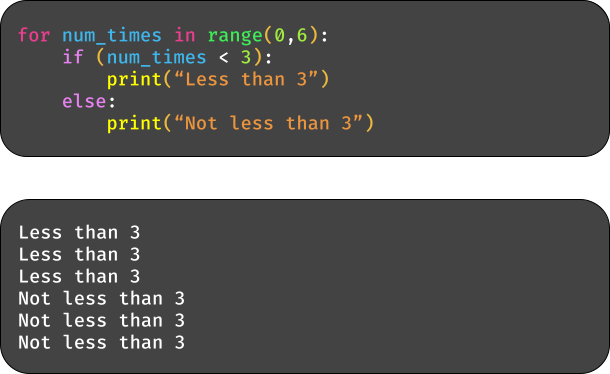
- You can put if statements in loops, if you want to only follow certain instructions in the loop.
This can be useful when game AI is trying to search for enemies. Say
there are ten blocks in front of the AI, represented by the numbers 0-9,
and it wants to look at each one to determine if there is any enemy there.
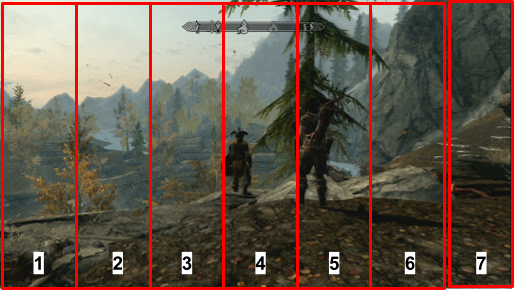
Write a loop that looks at each block and prints that it spotted an enemy where people are present above.

- Print numbers 1 to 10 with a for loop

- Print each character in the string ‘Python ’

- Print numbers 1 to 5 with a while loop

- Print ‘Hello, world!’ 3 times using a while loop

- Print a 3x3 grid of asterisks

- Print a multiplication table from numbers 1 to 3

- Print a 2x2 grid of numbers with nested while loops
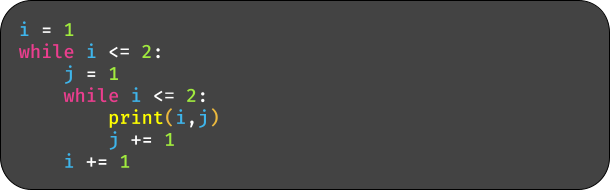
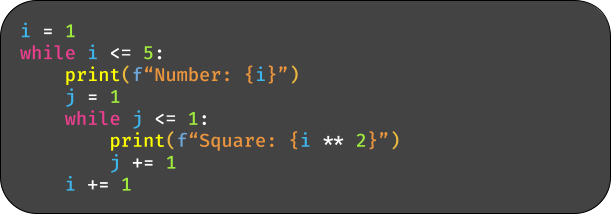
- Print numbers 1 to 5, including their squares, using nested while loops
- Print numbers 1 to 10 with a for loop, stopping at 6

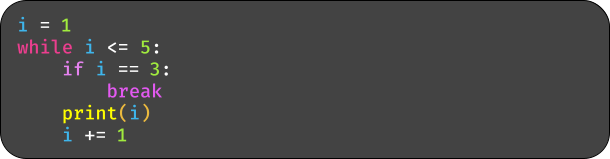
- Print numbers 1 to 5 with a while loop, stopping at 3
- Print numbers 1 to 10 with a for loop, skipping 5

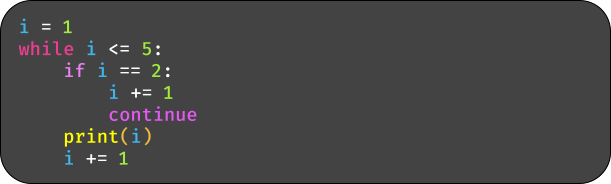
- Print numbers 1 to 5 with a while loop, skipping 2
- Print each fruit in the list with a for loop

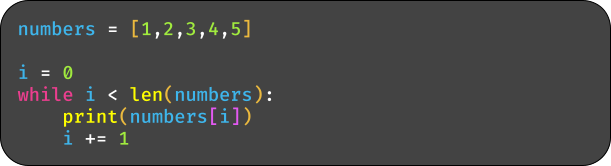
- Print each number in the list with a while loop
- Print each key-value pair in the dictionary with a for loop
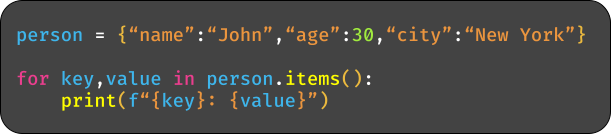
- Print each key-value pair in the dictionary with a while loop
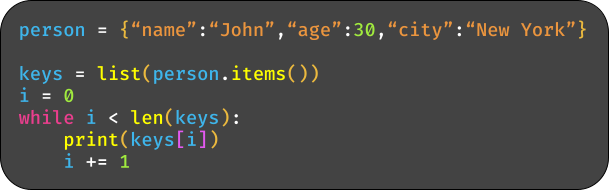
- Print even numbers from 2 to 10 with a for loop and ‘range’

- Print numbers 1 to 10 in reverse with a for loop and ‘range’
