

Before we start programming, we need to set up our environment first. This simply means we need to open an app that will give us everything we need to do programming.

- Open Notepad++
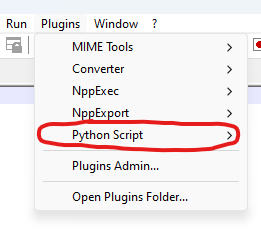
- Click on Plugins at the top of the window

- Click on Python Script
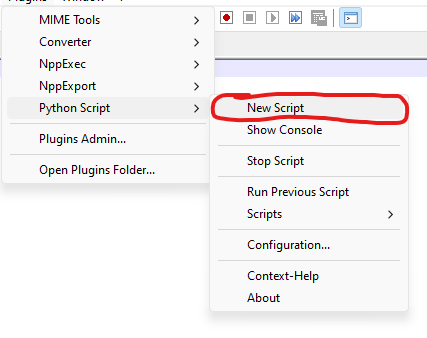
- Click on Python File
- Name your file something like “ Camp_Programming ”

- Click the Desktop folder on the left
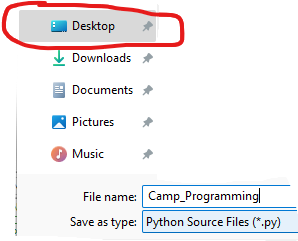
- Click Save

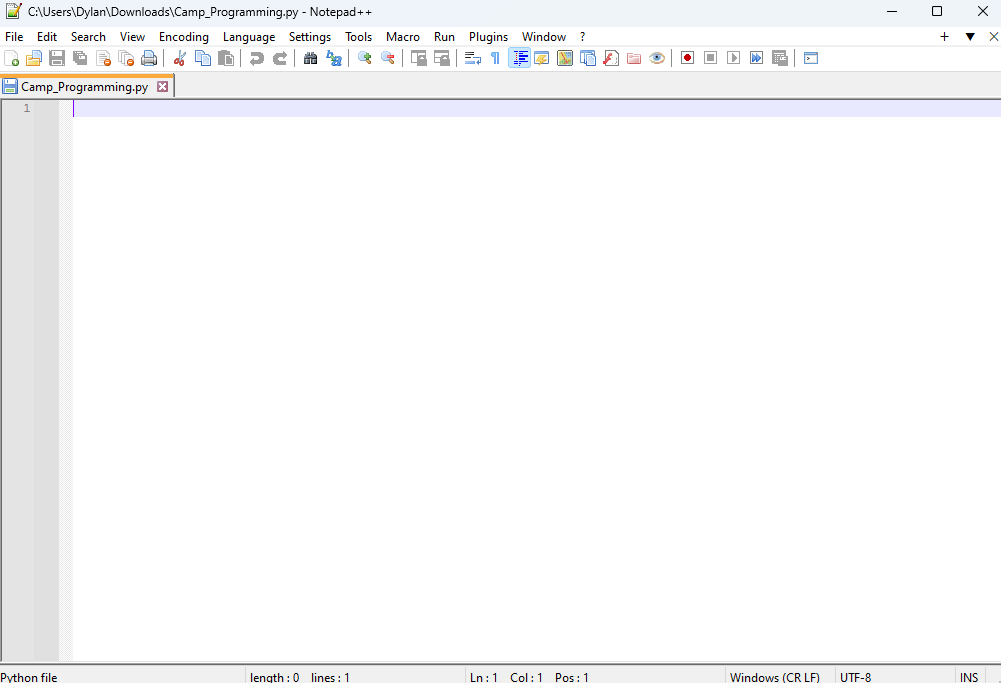
- Your screen should now look like this
One last thing is we need to make sure you can run a program. Every time we write something in this program and want to see what happens, we will need to repeat these first three steps.

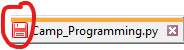
- If you have made unsaved changes to the file, indicated by the red floppy disk icon …
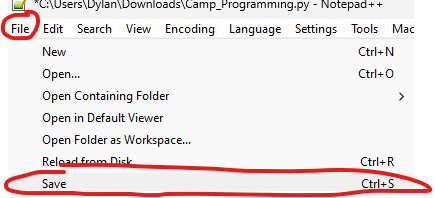
…then save them by typing Ctrl+S, or clicking File then Save in the right-hand corner of the screen.
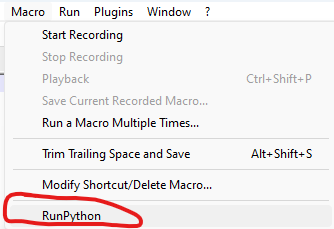
- Now click Macro at the top

- Click RunPython
- A window should have appeared at the bottom. If the text is all green , then you ’re good!
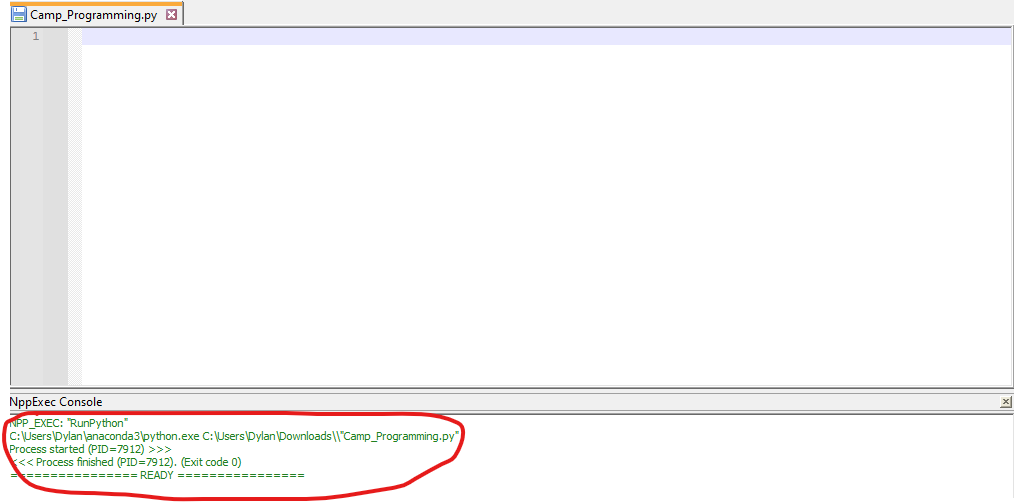
You might also see the output of your program in black text.