

To begin writing instructions for a computer, we need variables.
Variables store the information a computer needs to follow instructions. But what kind of information is that? Let ’s look at Mario Kart to answer this question.
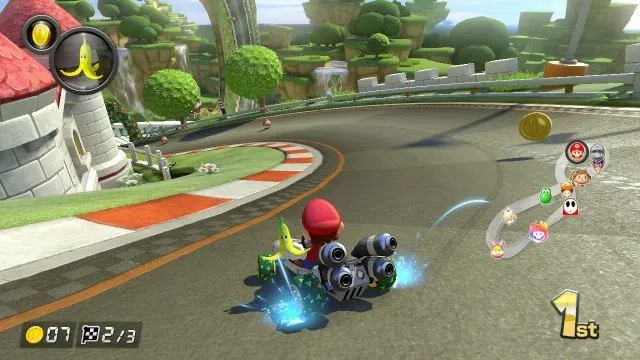
In Mario Kart, you race for three laps against other players, competing for that first-place spot, and using items like banana peels and speed boosts to help you. All of this information, from numbers like the lap counter to objects like the banana peel to text like player names, is what is being used to help run the game. The computer running the game will have to use this information to follow the program instructions of the game. The only way it can remember it all is to store them in variables .
To reiterate, variables can store numbers , text , and objects . You will later learn about other information that can be stored, such as other variables.
Now let ’s get into working with variables through some simple programming.

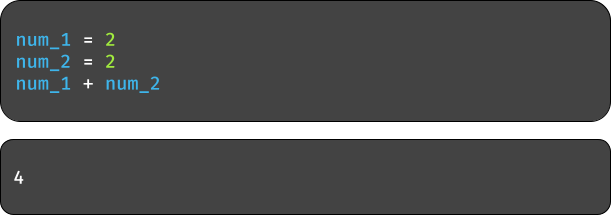
Let ’s say I wanted the computer to add two numbers together. I can store each number in its own variable, giving each its own name like num_1 and num_2 , and then add them.
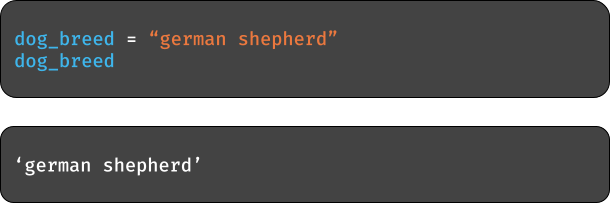
Now say I wanted to store information about my dog.
I can also store each word in a variable and add them together.
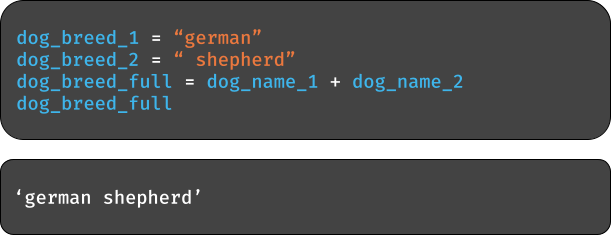
And if you try to use variables that you have not assigned values …
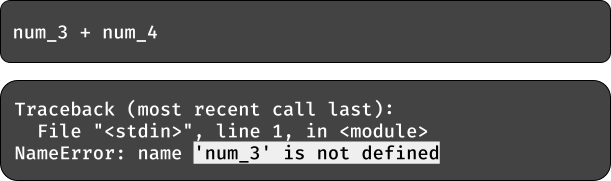
Variables store information, so make sure you give them a value before using them. If you told someone to just mix in flour when making a cake, they would not know how much. If you tell a computer to use a variable without giving it a value first, it does not know what to do.

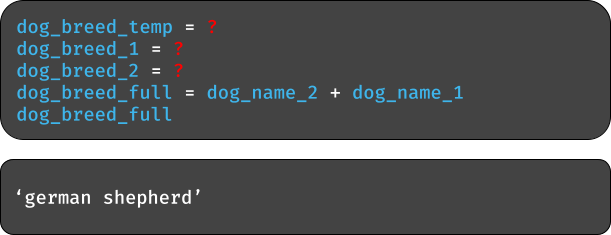
You might find that you want to swap the information stored between two variables. The code below will do just that, but it is incomplete. How can you fill it in such that when adding the two variables you get the output below? Hint: dog_breed_temp is a variable temporarily storing the information in one of the dog breed variables to be later stored in the other dog breed variable.

If you want to know what kind of information is in a variable, simply type type .
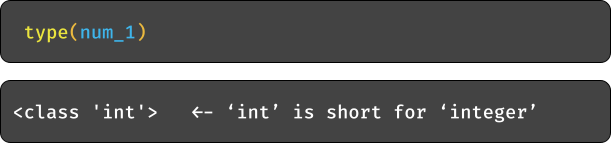
type is what is known as a method or function . All you need to know for now is they take in an input , like a variable, and give you an output , like a number or text.
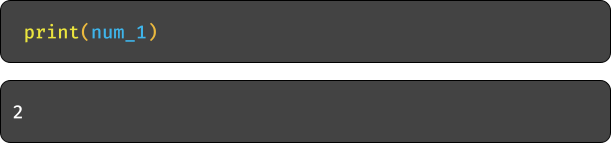
Another useful method is print , which simply prints the value stored in a variable.
A more interesting method is one that has the computer ask you to give it information. input allows you to provide it with a question that the computer can ask, and whatever you type is what the computer will say back.
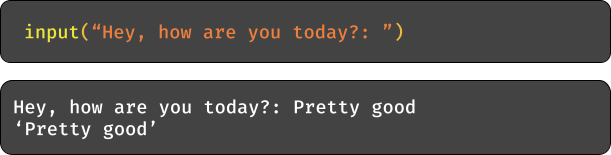
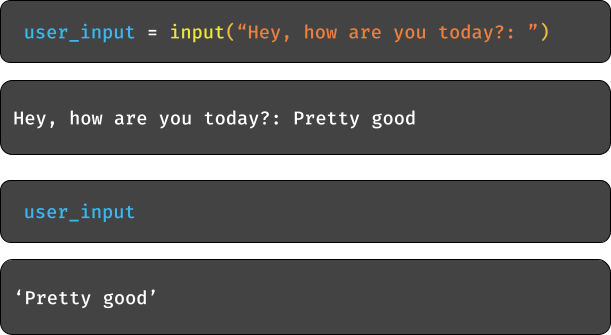
You can also store this information in a variable.

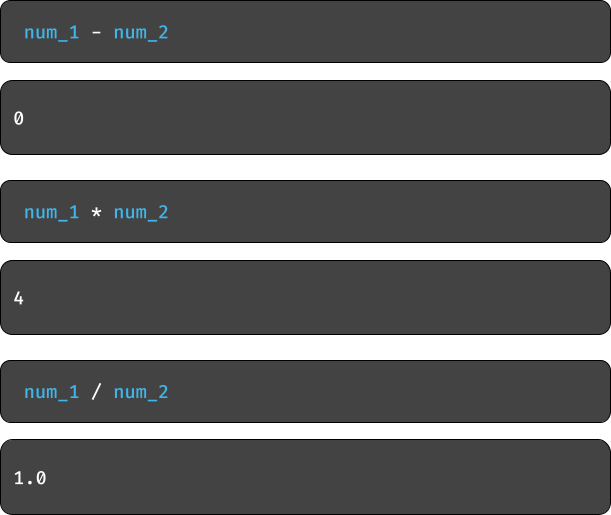
Our last note will be on other operations you can do with numbers. Just as you can do addition, you can subtract, multiply, and divide numbers.

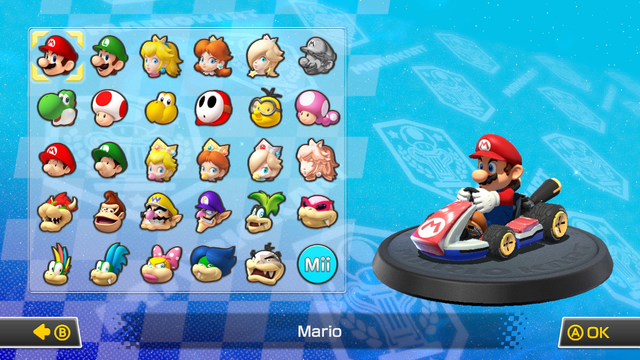
- Above is the screen for selecting a character in Mario Kart. Essentially, the game is asking the user for the name of the character that they want to play as. Using variables and programming tools like the ‘input ’method, find a way to ask a user for the name of the character that they want to play as. After that, print that name to your computer screen .
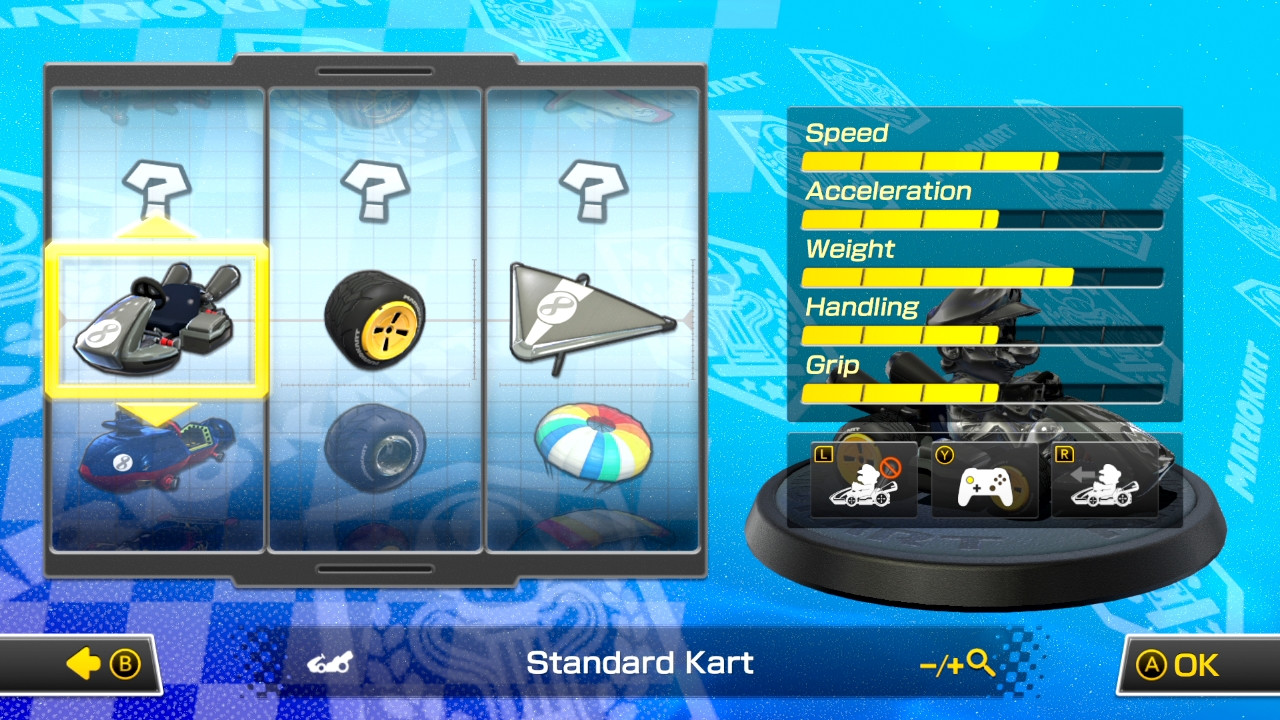
- Once you select your character, you customize the kart that you want to drive with three different parts: the chassis, wheels, and glider. Have the computer ask you for the names of each of the three parts you want , like “What type of chassis do you want?: ”. Print each choice to the screen.
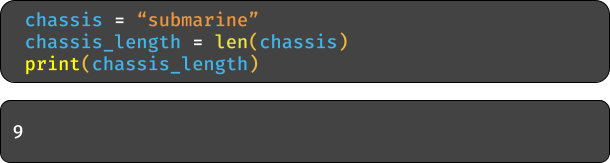
- Each part affects different aspects of your vehicle, like speed. We need to come up with a way to calculate speed using the parts chosen by a player. Let ’s say we calculate this by adding up the number of letters in each part name. But how can we get the computer to count letters? Use the ‘len ’method like below:
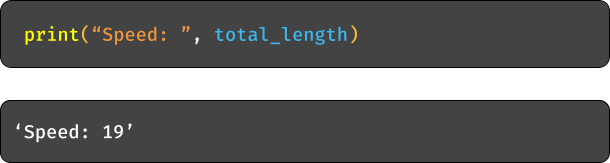
Add up the lengths of the three part names and print it like below:

- Add two numbers together
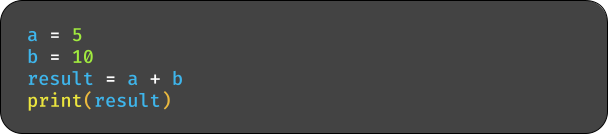
- Add a variable and literal number

- Subtract two numbers
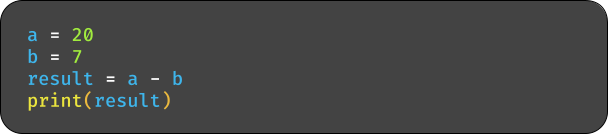
- Subtract a variable and literal number

- Multiply two numbers
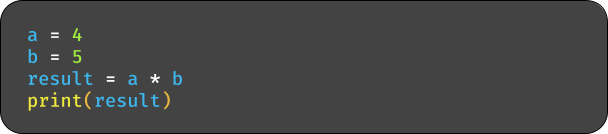
- Multiply a variable and literal number

- Divide two numbers
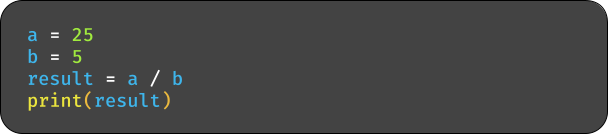
- Divide a variable and literal number

- Modulus of two numbers
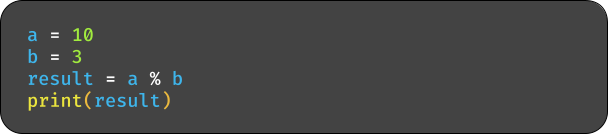
- Modulus a variable and literal number

- Exponentiation of two numbers
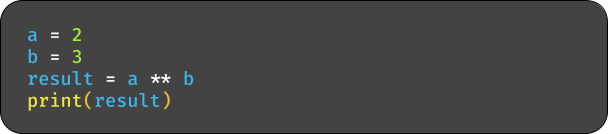
- Exponentiation of a variable and literal numbers

- Add and Multiply
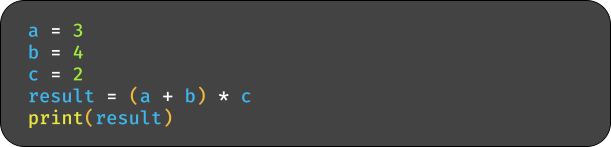
- Subtract and divide
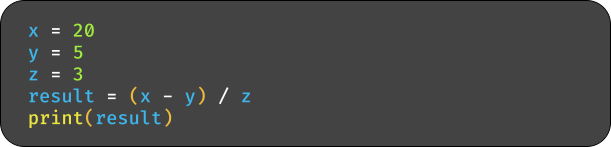
- Modulus and addition
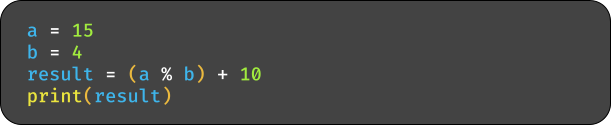
- Exponentiation and subtraction
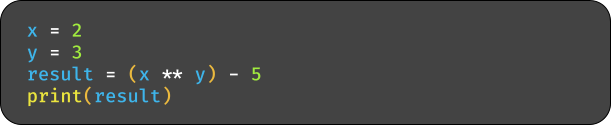
- Multiple operators
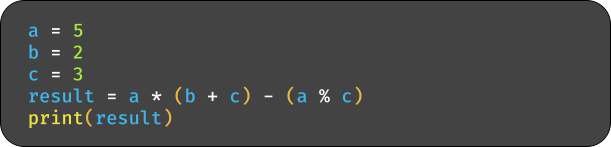
- Use all operators
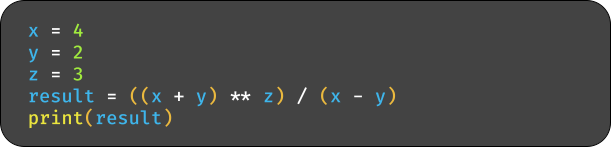
- Combination of operators
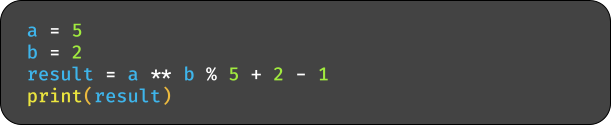
- Mixing variables and literals
